
第二屏DuoDisplay
让手机/平板成为你的第二块显示器Turn your phone or tablet into a second display
将鸿蒙设备变为电脑无线扩展屏,支持 Windows 桌面投屏与 AirPlay 镜像接收。同一局域网内无需线缆,即刻扩展你的桌面边界。Turn your HarmonyOS device into a wireless extended display for your computer, with Windows desktop casting and AirPlay mirroring. No cables needed on the same local network.


- 高清流畅画面High-res smooth video
- 2560×1440 / 60fps
- 两种投屏方式Two ways to cast
- Windows / AirPlay
- 同一局域网即连Wireless over LAN
- 无线
无线扩展屏,两种投屏方式随心选。A wireless extended display with two ways to cast.
「第二屏」专为鸿蒙设备打造,无论是 Windows 桌面扩展还是苹果设备镜像,都能在同一局域网内即刻完成,大幅提升多任务办公效率。Built for HarmonyOS devices, DuoDisplay handles both Windows desktop extension and Apple device mirroring over the same local network, making multi-tasking noticeably more efficient.
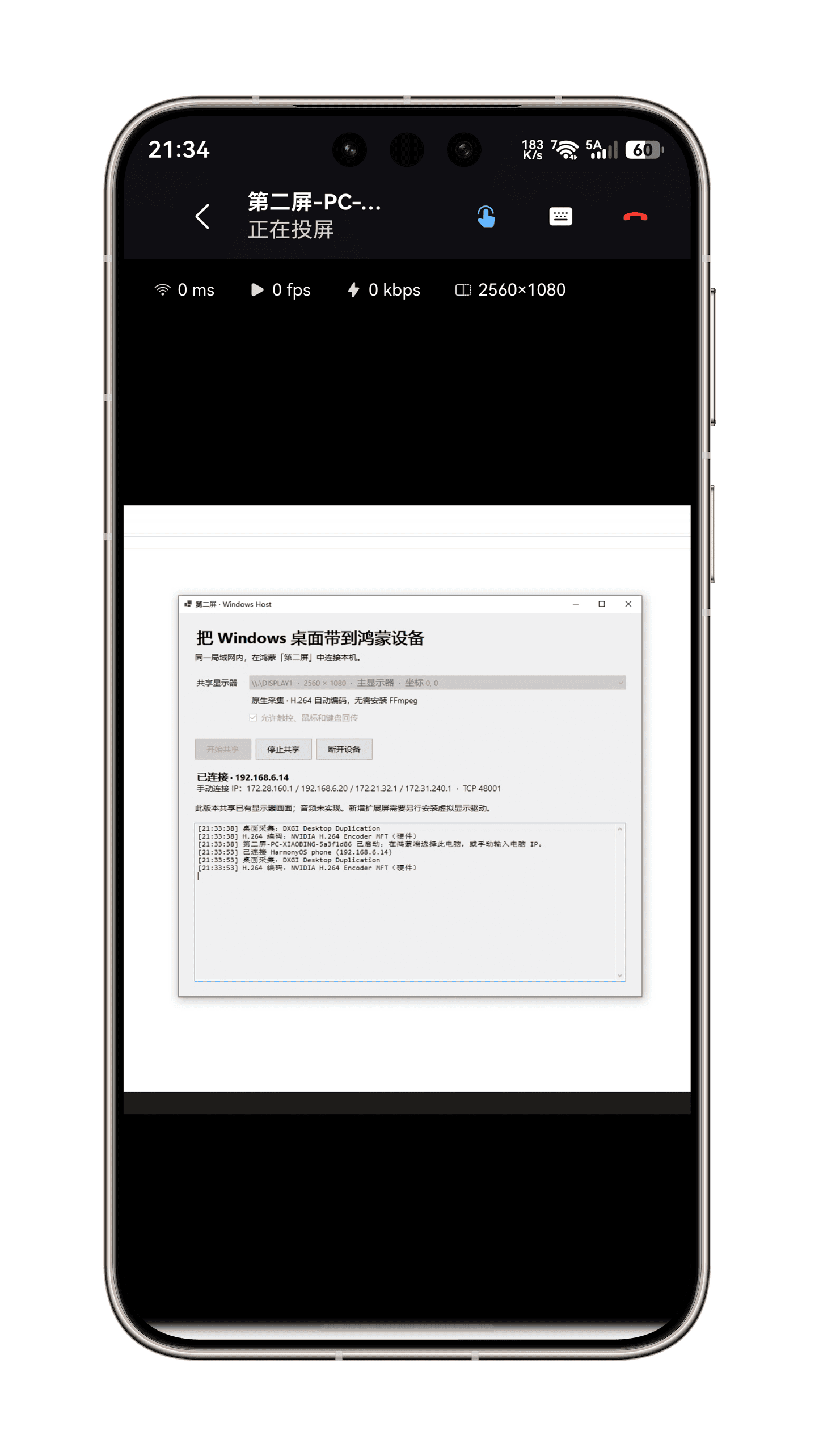
Windows 扩展屏Windows extended display
Windows 电脑安装配套 Host 程序后,一键将桌面画面实时投射到鸿蒙设备。支持 mDNS 自动发现或手动 IP 连接,每次连接需电脑端确认授权,安全可控。Install the companion Host program on your Windows PC and cast the desktop to your HarmonyOS device in one tap. mDNS auto-discovery or manual IP connection, with confirmation required on the PC for every session.
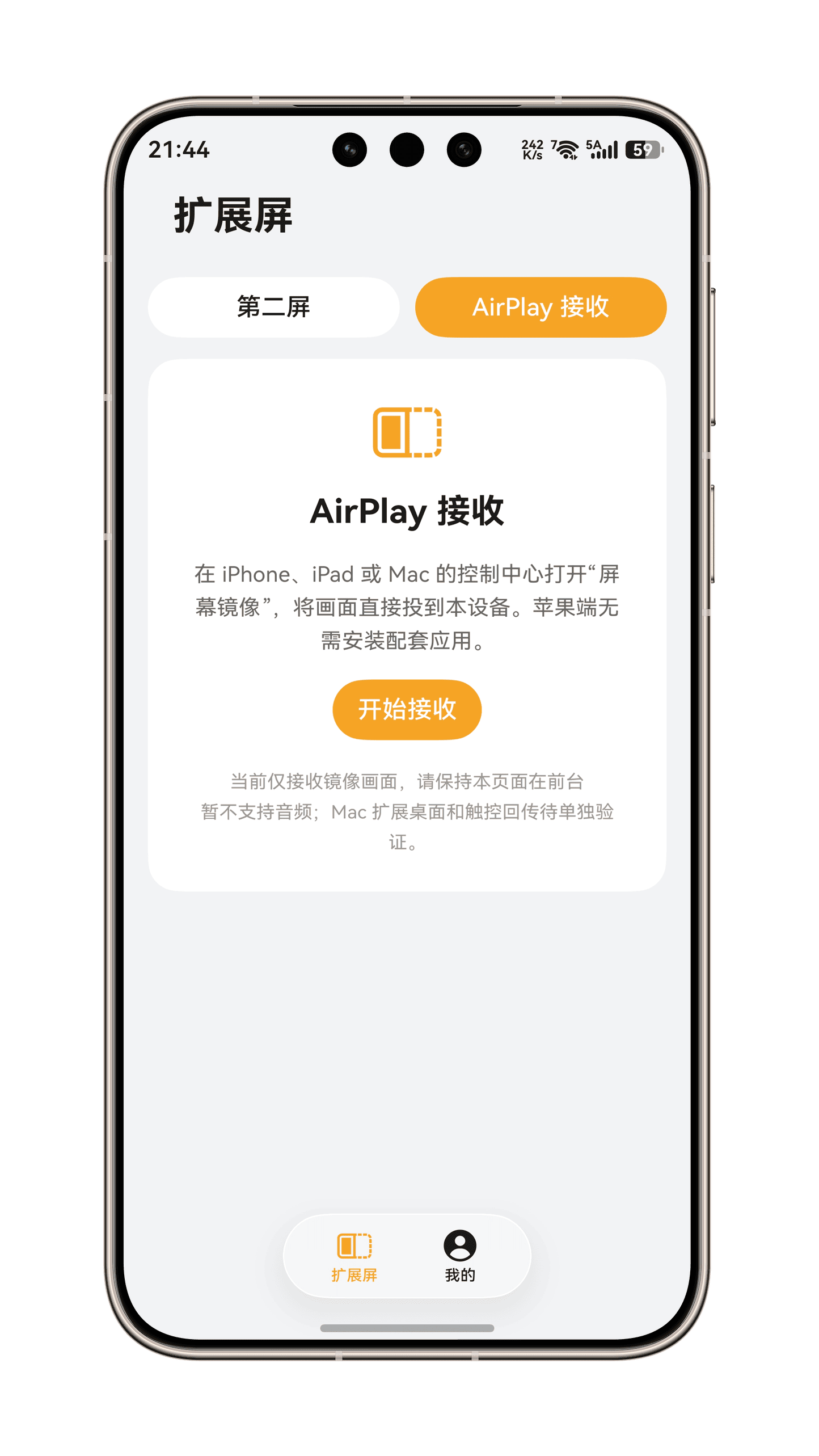
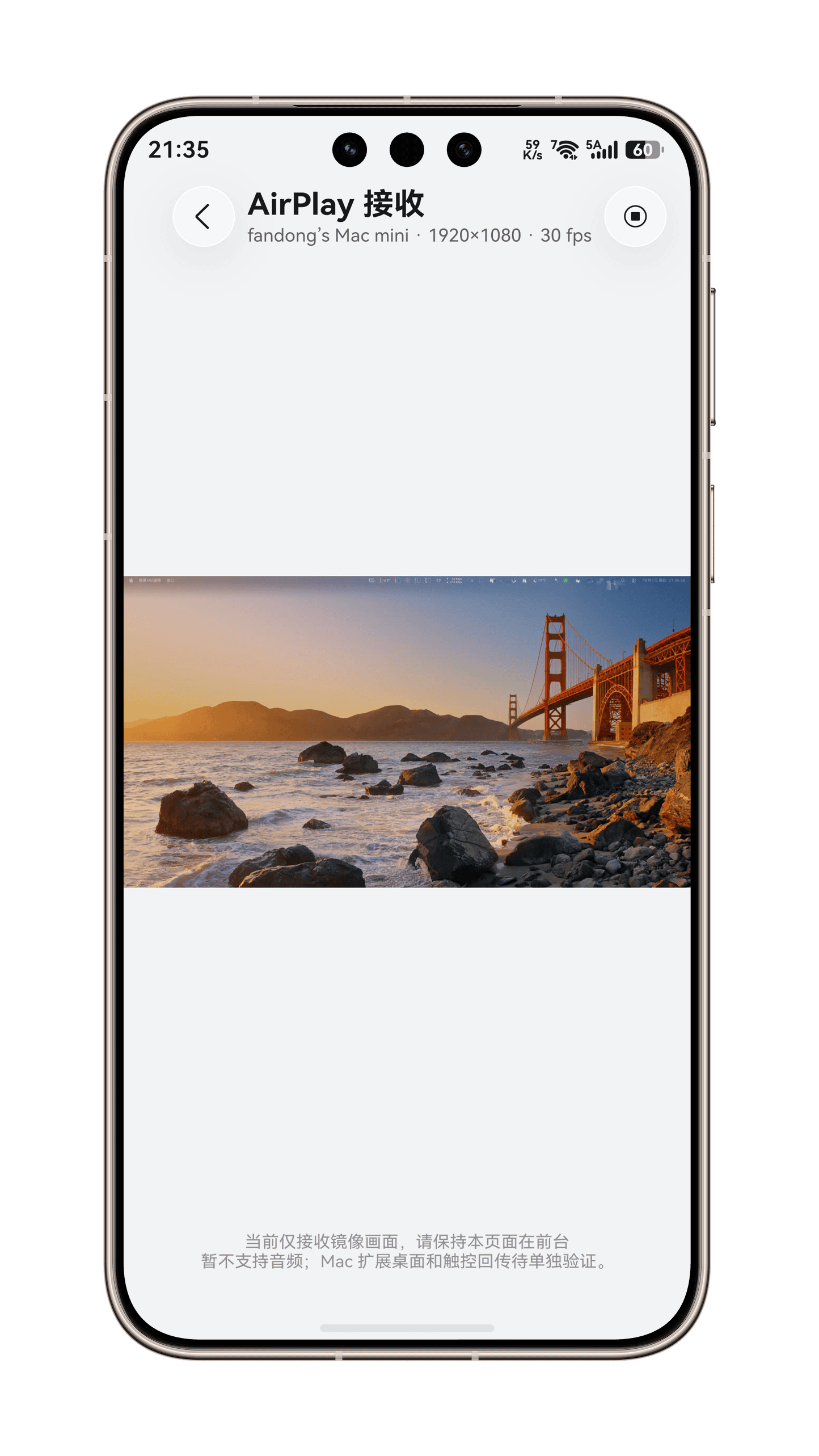
AirPlay 接收AirPlay receiver
将设备变为 AirPlay 接收器,iPhone、iPad、Mac 无需安装任何 App,通过系统「屏幕镜像」即可投屏,PIN 码配对,苹果生态无缝兼容。Turn the device into an AirPlay receiver. iPhone, iPad, and Mac can mirror via the system Screen Mirroring with no app to install, paired by PIN code.
输入回控与高清流畅Input control & smooth HD
支持直接触控、触控板双模式,多点触控、鼠标、键盘事件实时回传电脑。硬件解码直接渲染,最高 2560×1440 / 60fps,延迟、帧率、码率实时可见。Touch and trackpad modes send multi-touch, mouse, and keyboard events back to the computer in real time. Hardware decoding renders up to 2560×1440 at 60fps, with latency, frame rate, and bitrate always visible.
围绕扩展屏场景打磨的操控体验。A control experience refined for second-screen work.
从输入回控、快捷键到自由缩放和画质调节,「第二屏」让闲置的鸿蒙设备重焕生产力。From input control and shortcuts to free zoom and quality presets, DuoDisplay brings idle HarmonyOS devices back to work.
输入回控Input control
支持直接触控、触控板双模式,多点触控、鼠标、键盘事件实时回传电脑。Direct touch and trackpad modes send multi-touch, mouse, and keyboard events back to the computer in real time.
快捷键栏Shortcut bar
内置 Esc、Tab、Ctrl、Alt、Win、方向键等快捷按键,支持调出软键盘输入字符。Built-in Esc, Tab, Ctrl, Alt, Win, and arrow keys, with an on-screen keyboard for typing characters.
自由缩放Free zoom
双指捏合 1-6 倍缩放,拖动平移查看细节,缩放回 1 倍自动恢复适应模式。Pinch to zoom from 1× to 6× and drag to pan. Returning to 1× restores fit-to-screen mode automatically.
后台保活Background keep-alive
应用切后台时通过连续任务尽量维持视频流会话,避免画面意外中断。Continuous tasks keep the video session alive when the app goes to the background, avoiding unexpected interruptions.
屏幕常亮Keep screen on
支持保持屏幕常亮,长时间办公不熄屏。Keep the screen awake so long work sessions never go dark.
多档画质Quality presets
分辨率、帧率、画质多档可调,流畅/均衡/高清随心切换,适配不同网络环境。Adjustable resolution, frame rate, and quality presets — smooth, balanced, or HD — to match any network condition.
让闲置设备重焕生产力。Put your idle devices back to work.
免费下载「第二屏」,随时随地扩展你的桌面边界。Download DuoDisplay for free and extend your desktop anywhere, anytime.
用户说,副屏原来可以这么简单。Users say a second screen has never been this simple.
来自真实使用场景的反馈,集中在无线连接、即连即用和多设备利用。Real-world feedback centered on wireless connection, instant setup, and putting extra devices to use.
完全免费,没有隐藏费用。Completely free. No hidden costs.
下载即可使用全部功能,无需付费解锁。Download and use every feature right away, with nothing to unlock.
免费使用Free
¥0
「第二屏」完全免费,无需订阅即可使用全部功能。DuoDisplay is completely free. Use all features without any subscription.
- Windows 扩展屏Windows extended display
- AirPlay 镜像接收AirPlay mirroring receiver
- 输入回控(触控/触控板)Input control (touch / trackpad)
- 快捷键栏与软键盘Shortcut bar and on-screen keyboard
- 自由缩放与平移Free zoom and pan
- 分辨率、帧率、画质调节Resolution, frame rate, and quality control
- 后台保活与屏幕常亮Background keep-alive and keep screen on
常见问题Frequently asked questions
这里整理了设备连接、投屏方式和网络环境最常见的问题。Answers for device connection, casting modes, and network setup.
「第二屏」支持哪些设备?Which devices does DuoDisplay support?
「第二屏」专为鸿蒙设备打造,支持搭载 HarmonyOS NEXT 的手机、平板和三折叠设备。闲置的旧设备也能安装使用,焕发新价值。DuoDisplay is built for HarmonyOS devices, including phones, tablets, and tri-fold devices running HarmonyOS NEXT. Idle older devices work great too.
如何连接 Windows 电脑?How do I connect a Windows PC?
在 Windows 电脑上安装配套 Host 程序,并确保电脑与鸿蒙设备处于同一局域网。应用支持 mDNS 自动发现,也可以手动输入电脑 IP 连接;每次连接都需要电脑端确认授权,安全可控。Install the companion Host program on your Windows PC and make sure both devices are on the same local network. The app supports mDNS auto-discovery or manual IP connection, and every session requires confirmation on the PC.
Mac、iPhone 需要安装软件吗?Do Mac or iPhone need any software?
不需要。将鸿蒙设备切换为 AirPlay 接收模式后,在 iPhone、iPad 或 Mac 的控制中心打开「屏幕镜像」,选择设备并通过 PIN 码配对即可投屏,苹果生态无缝兼容。No. Switch the HarmonyOS device to AirPlay receiver mode, then open Screen Mirroring in Control Center on your iPhone, iPad, or Mac, pick the device, and pair with the PIN code.
延迟高或者卡顿怎么办?What if latency is high or playback stutters?
投屏画面支持延迟、帧率、码率实时可见。如果网络环境一般,可以在显示设置中切换流畅/均衡/高清档位,或降低分辨率和帧率,以获得更稳定的体验。建议优先使用 5GHz Wi-Fi。Latency, frame rate, and bitrate are shown in real time during casting. On weaker networks, switch between smooth, balanced, and HD presets in display settings, or lower the resolution and frame rate. A 5GHz Wi-Fi network is recommended.
可以把手机画面当触控板操作电脑吗?Can I control the computer from the device screen?
可以。「第二屏」支持直接触控和触控板双模式,多点触控、鼠标、键盘事件都会实时回传电脑;内置 Esc、Tab、Ctrl、Alt、Win、方向键等快捷键栏,还可调出软键盘输入字符。Yes. DuoDisplay offers direct touch and trackpad modes, sending multi-touch, mouse, and keyboard events back to the computer in real time. A built-in shortcut bar includes Esc, Tab, Ctrl, Alt, Win, and arrow keys, plus an on-screen keyboard.
应用切到后台会断开吗?Will the session drop when the app goes to background?
应用切后台时会通过连续任务尽量维持视频流会话,避免画面意外中断。同时支持保持屏幕常亮,长时间办公不熄屏。When the app goes to the background, continuous tasks keep the video session alive to avoid unexpected interruptions. Keep-screen-on is also supported for long work sessions.